1. One-Click Symbol Change — Keep Position, Size & Rotation (Feature 1)
Dynamic Symbols lets you instantly switch between different symbol shapes with just one click — while keeping the symbol’s position, size, and rotation unchanged..
How it Works:
Step 1: Select any symbol from the toolbar.
Step 2: A dialog box will appear asking if you want to create a new symbol.
Click Yes → The symbol instantly appears at your cursor.
Click No → The command is canceled.
✅ Done! The symbol is placed.
To switch to another symbol, just click a different icon on the toolbar. The selected object updates instantly, while keeping its original position, size, and rotation.

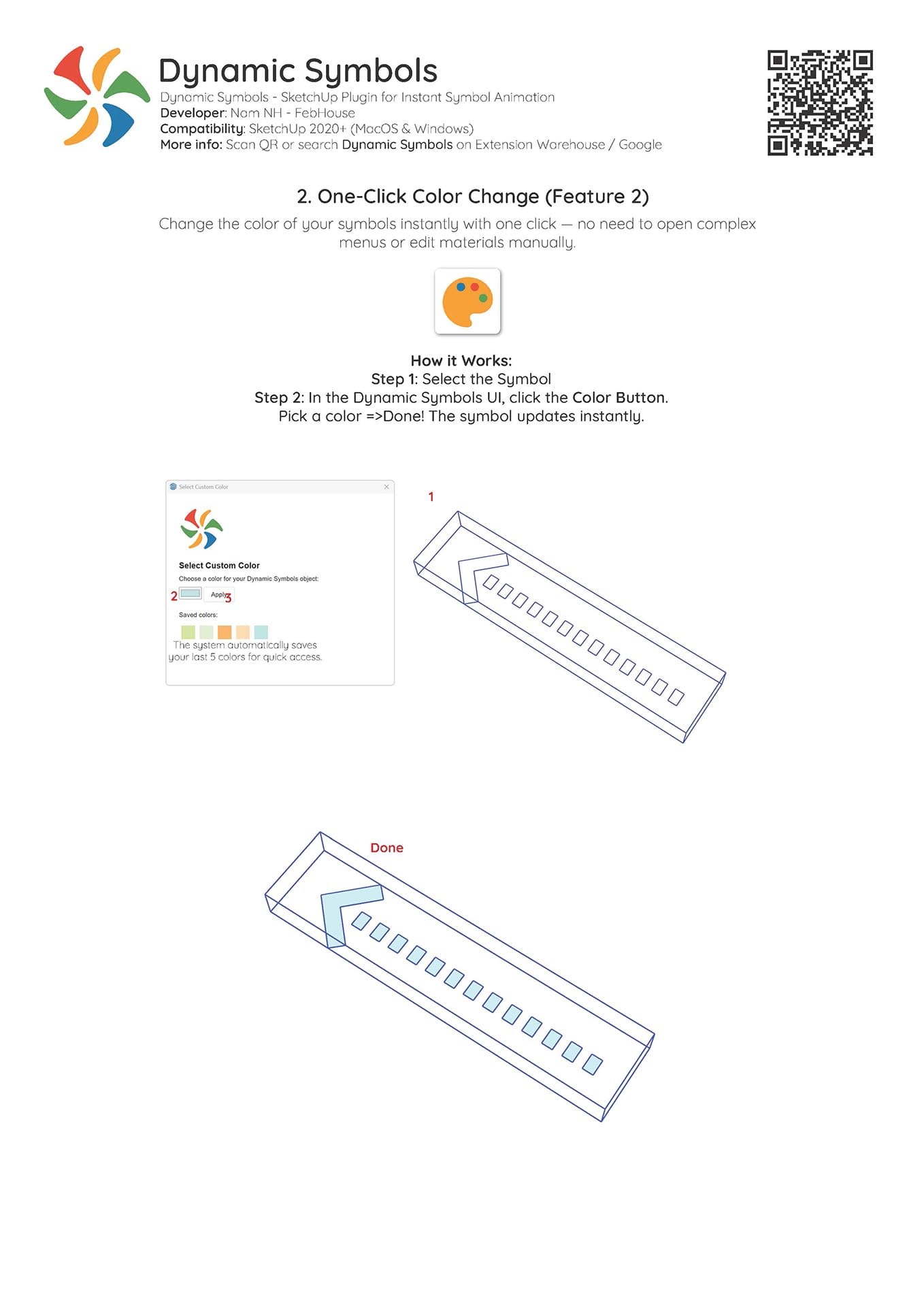
2. One-Click Color Change (Feature 2)
Change the color of your symbols instantly with one click — no need to open complex menus or edit materials manually.
How it Works:
Step 1: Select the symbol
Step 2: In the Dynamic Symbols UI, click the Color Button.
Step 3: Pick a color → ✅ Done! The symbol updates instantly.
💡 The system automatically saves your last 5 colors for quick access.

3. Create Animation (Feature 3)
Automatically generate animated scenes that bring your symbols to life — ideal for diagrams, flowcharts, or architectural storytelling.
How it works:
Step 1: Select the Dynamic Symbols you want to animate.
Step 2: Click Create Animation. The plugin generates 3 scenes: Feb_F1, Feb_F2, Feb_F3. These scenes form the animation sequence.
Step 3: In the Scenes panel:Keep only Feb_F1, Feb_F2, Feb_F3 checked for animation.Uncheck all other scenes.
Step 4: Export the video:Go to File → Export → Animation.In Export Options, select your desired quality and uncheck Loop to starting scene.Click OK → Export.
💡 After exporting, you can use video editing software to:
- Smoothen or extend the loop.
- Duplicate clips for continuous looping animations.